

What is a digital service logbook?
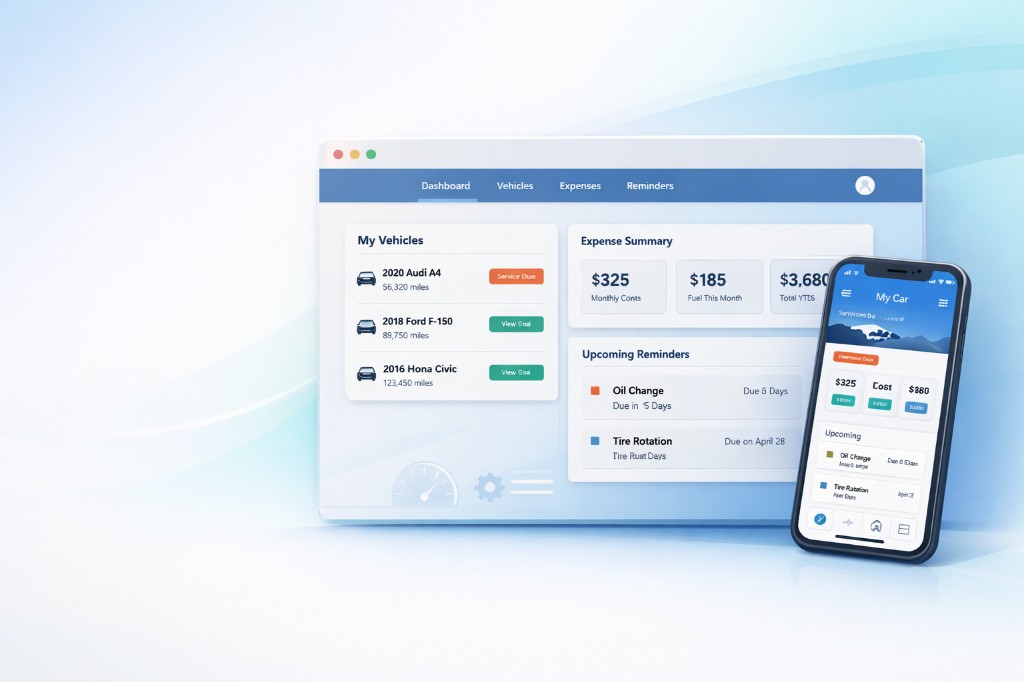
RideLogger is a digital vehicle maintenance logbook — an app where each vehicle has one clear history: services, fuel, expenses and maintenance reminders. It works in the browser and on your phone, for one or many vehicles. In the Balkans the same product is called Servisna Knjižica.
Why digital instead of paper?
Paper logbooks get lost, fade and rarely track fuel or small costs. A digital service logbook keeps everything in one place — with reminders before registration, service or tyre changes — and is easy to share when you sell the car.
What you get
Service history
Log services with date, mileage and notes. Receipt photos stay with the entry.
Fuel & expenses
Track fuel use, parking, insurance and other costs per vehicle — clearly over time.
Reminders
Set reminders for service, inspection, insurance or tyres — before you forget.
Multiple vehicles
Family or small fleet: all vehicles in one account, each with its own history.
Web & phone
Use the browser on desktop or the app on your phone — same data, no install required to start.
How to start
Add a vehicle
Enter make, model and current mileage — or several vehicles at once.
Log services and costs
Add services, fill-ups and expenses as they happen; the history builds itself.
Set reminders
Choose what to be reminded about — service, registration, tyres — and keep driving with peace of mind.
FAQ
Is RideLogger the same app as Servisna Knjižica?
Yes — the same product, different name in the Balkans (Servisna Knjižica) and globally (RideLogger).
Do I need to install an app?
Not right away. You can start in the browser; an Android app is also available on your phone.
How many vehicles can I track?
Multiple vehicles in one account — handy for families or if you drive both personal and work cars.
Does the history help when selling?
A well-kept service history makes negotiations easier — buyers see what was done on the car.
Ready for a digital service logbook?
Open RideLogger, add a vehicle and start logging services and expenses — free to get started.
Open RideLogger